


















How to Replace Printer Ink in a Canon Printer: A Science-Driven Guide to Cartridge Types, Replacement Steps and Print Head Care
How to Replace Printer Ink in a Canon Printer: A Science-Driven Guide to Cartridge Types, Replacement Steps and Print Head Care
 2026-12-28
 12


Replacing ink in a Canon inkjet printer takes about five minutes — provided you know which cartridge architecture your machine uses and follow the sequence the print head expects. Done correctly, it protects the nozzles and keeps colour output stable for the full life of the cartridge. Done carelessly, it is one of the fastest ways to clog a print head, trigger a "cannot recognise cartridge" error, or leave the printer in worse condition than when the cartridge simply ran dry.
This guide explains what is actually happening inside the machine at each step, so the procedure makes sense rather than being memorised.
When a Canon Cartridge Actually Needs Replacing
Canon inkjets signal low ink in two ways: an on-screen warning, or an ink lamp that flashes rapidly on the cartridge itself. The instinct is to keep printing until the output visibly fades — but that is the wrong call. Running a cartridge dry forces the print head to fire without ink to cool and lubricate it, and it lets air enter the ink path. Both accelerate nozzle damage. Replace as soon as the warning appears, not when the print quality collapses.
Know Which Cartridge Architecture You Have
Before buying anything, identify the system your printer uses. This single step prevents most purchasing errors:
● Two-cartridge FINE system. One black and one tri-colour cartridge. Common on entry and mid-range PIXMA and MG models.
● Multi-cartridge system. Black plus individually replaceable colour tanks, so only the exhausted colour is swapped.
● Refillable ink tank models (MegaTank). These take bottles of ink, not cartridges, and are topped up through fill ports.
● Laser machines. These use toner, an entirely different consumable with a different replacement procedure.
A cartridge number printed on the old unit, not a series name, is what you match at the point of purchase. Colour ink is consumed even during black-and-white printing, because the printer uses it to run periodic print head cleanings — so a "black-only" user still needs working colour cartridges installed.
Step-by-Step: Replacing a Canon Ink Cartridge
● Power on and open the cover. With the printer switched on, open the scanning unit or front cover. The cartridge holder slides automatically to the replacement position. Never force the holder by hand — the drive mechanism is easy to damage.
● Remove the old cartridge. Push down on the handle and lift the cartridge out. Do not touch the print head locking lever, and do not remove more than one cartridge at a time.
● Prepare the new cartridge. Peel the orange protective tape completely, then remove the orange cap from the base. Check that no film remains over the air vent; a blocked vent causes leakage or misfiring. Never touch the electrical contacts or the exposed ink port.
● Install it at an angle. Insert the cartridge into its matching slot, following the colour labels, and push until it locks with an audible click. Confirm the ink lamp lights red.
● Close the cover. The printer runs an automatic print head cleaning, which takes one to two minutes. Do not interrupt the power during this cycle.
● Print a nozzle check pattern. This confirms every colour is firing evenly. If gaps or banding appear, run one standard cleaning cycle — but avoid repeated deep cleanings, which consume a large amount of ink.
The Four Mistakes That Cause Most Failures
● Touching the contacts or nozzle. Skin oils on these surfaces are a direct cause of poor printing and recognition errors.
● Leaving the printer open with no cartridge. The exposed print head dries out quickly. Replace immediately rather than at your convenience.
● Reusing a partially used cartridge. This can clog nozzles and stops the printer from reporting ink levels accurately.
● Storing a cartridge in the open. A cartridge removed and left uncovered dries out; Canon recommends using one within six months of opening.
Maintenance Habits That Extend Print Head Life
The print head works much like a marker pen left uncapped — idle time lets ink dry and block the nozzles. Two habits prevent that. First, shut the printer down using the power button and wait until all lamps go out before unplugging it, because the printer uses that delay to cap the print head. Second, if the machine sits unused, print something in both colour and black once a month, or run a nozzle check before an important job. A quick monthly print costs far less than replacing a blocked head.
Where the Replacement Supply Comes From
Most of the advice above concerns the inkjet on the desk. But a good share of the people following it are also responsible for a laser printer, a colour copier, or a mixed office fleet — and that is where the supply question stops being simple.
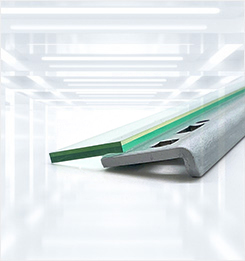
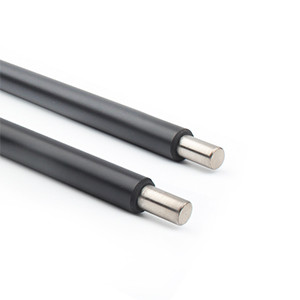
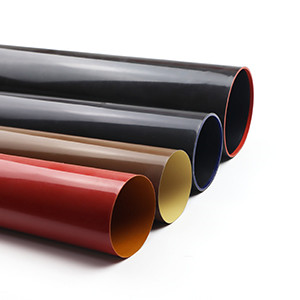
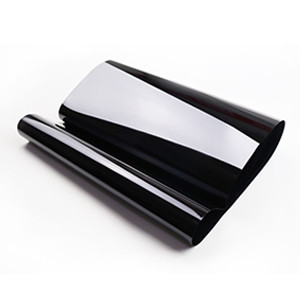
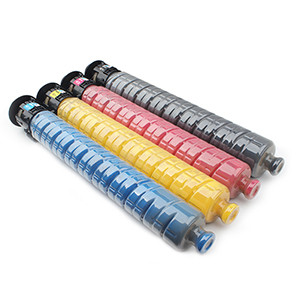
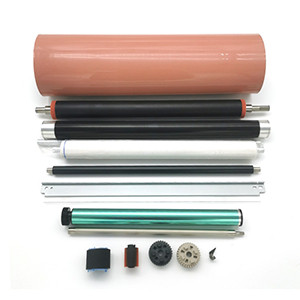
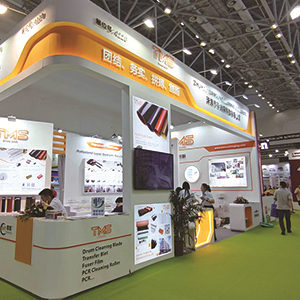
TMS manufactures compatible consumables and parts for printers and copiers, and builds the range around machines that are actually in service rather than only the current catalogue. Beyond toner cartridges and drum units, it covers drum cleaning blades, primary charge rollers, cleaning rollers, fuser film sleeves, transfer belts and feed components, spanning Canon, HP, Brother, Xerox, Ricoh, Kyocera, Konica Minolta, Sharp, Lexmark, Samsung, Epson and Toshiba platforms.
The part of that range most buyers end up relying on is not the large components but the small wear items — the blade, the roller, the sleeve. These are the parts that decide whether a service call closes on the first visit, and they are also the parts where a marginal difference in formulation shows up fastest. TMS consumables have spent close to two decades being judged in exactly that way: customers across the globe, running machines in deep-cold regions, tropical heat and humid coastal climates, and reordering because the parts behave the same way in all three.

For a service business, that shows up as two practical gains. A part that holds its specification for its full rated life means fewer trips back to the same machine. And a supplier whose coverage runs across both current and long-retired models means one purchase order instead of four.


