
















The Epson Printer Parts List: Three Categories That Cover Every Epson Laser Body
The Epson Printer Parts List: Three Categories That Cover Every Epson Laser Body
 2027-01-04
 5


The Epson printer parts list is shorter than most technicians expect — and every wear part on it falls into just three categories. Epson built its reputation on inkjet, which means its laser range is a narrow, well-defined set of platforms rather than a sprawl of unrelated engines: the legacy monochrome EPL and LP / LP-xxxx desktop bodies, and today's WorkForce office machines. That narrowness is an advantage. Stock three categories correctly and you have covered the Epson machines that still walk into a service shop. Below is the complete Epson printer parts list a shelf should carry, with the TMS number for each line, the models it covers, and the cross-reference it matches.
Why an Epson list is short but not simple
Epson reused feed geometry and cartridge architecture across entire product generations, so a single number often spans twenty models. At the same time the desktop line and the enterprise colour line share almost nothing — a blade matched to a legacy EPL body will not seat in a WorkForce office machine. A list built on model names therefore breaks, while a list built on platforms holds.
Category 1 — Paper feed: what stops the double-feed calls
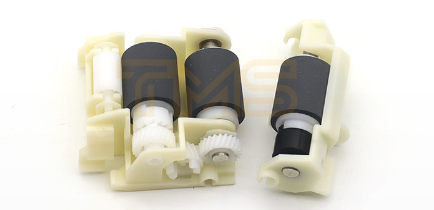
Feed faults are the most common Epson laser service call and almost always mechanical. A glazed pickup roller or a hardened separation pad produces double-feeds and mis-picks long before anything prints badly, so the technician arrives to a fault that has nothing to do with the drum.
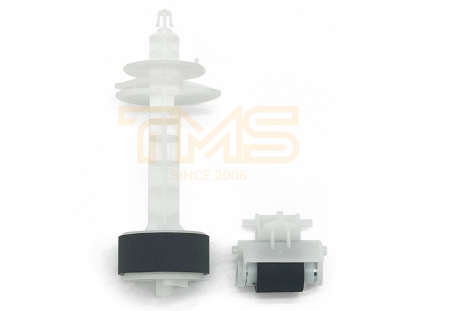
1. L110 Pickup Roller Kit — TMS9118G. One kit spans the EcoTank L110 through the L130, L2xx, L3xx and L35x series, cross-referencing OEM 1569314 / 1569311. Product page
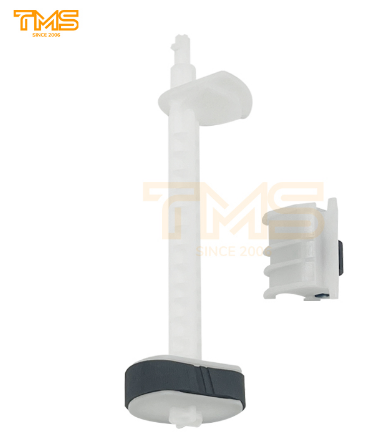
2. L3150 Pickup Roller Kit — TMS9150G. Covers the L1110, L3110 and L3150 families, cross-referencing OEM 1813628 / 1767062. Product page
3. WorkForce Pro WF-C5290 Pickup Roller Assembly — TMS9209G. Serves the WF-C5210 / C5290 / C5710 / C5790 and the WF-M5290 / M5790 line in one number. Product page
Category 2 — Cleaning: the two blades inside one cartridge
Two different blades live inside an Epson cartridge, and they fail with different symptoms. The wiper (drum cleaning) blade scrapes residual toner off the drum — a dull edge prints grey background or a repeating black line. The doctor blade meters the toner layer onto the developer roller — a worn one prints uneven density and a dark band along one edge.
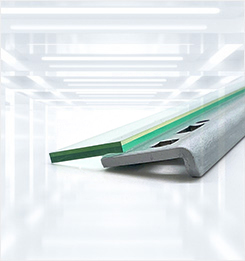
1. LP6100 Wiper Blade — TMS2017G. Covering the LP6100 / LP7900 / LP8100 / LP8700 / LP8900 / LP9100 group alongside the EPL-N2500 / N2120 / EPL-2020. Product page
2. LP8400 Doctor Blade — TMS2006G. Covers EPL-1220, EPL-2010, EPL-2180 and LP8400, plus the NEC PR-L2300 / L2800 / L8400 / L8500 equivalents. Product page
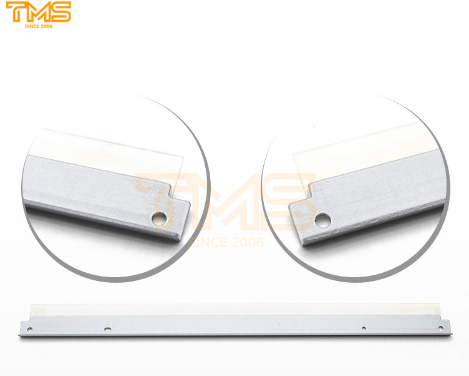
3. EPL6200 Doctor Blade — TMS010A. Covers the LP-1400 / 1800 / 2500 and EPL-5500 / 5700 / 6100 / 6200 cartridge family. Product page
Category 3 — Transfer: the belt that carries the colour image
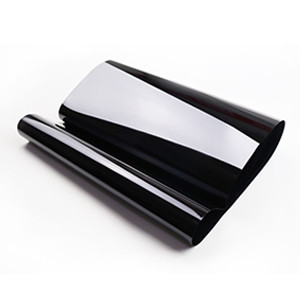
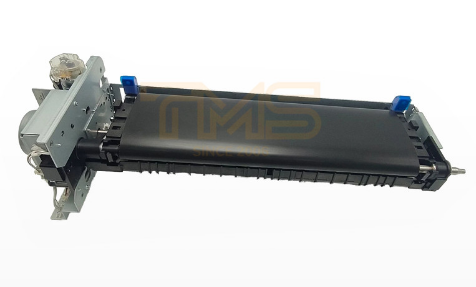
On Epson's enterprise colour bodies the four CMYK toner images ride an intermediate transfer belt and are handed to the sheet in a single pass. A stretched or contaminated belt gives colour misregistration and a mark that repeats down the page rather than a clean image. Epson's transfer coverage collapses into a single part number — TMS4084T, spanning the WorkForce Enterprise AM-C AM-C400, AM-C550, AM-C4000, AM-C5000 and AM-C6000 in one row. Where an original number is marked N/A, matching runs off the machine platform instead of the old label.
The six component groups behind the three categories
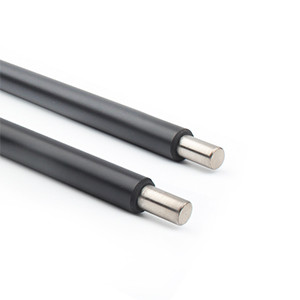
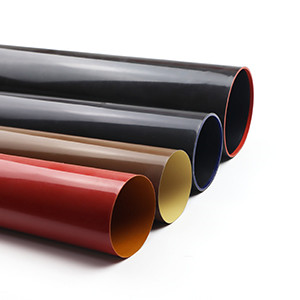
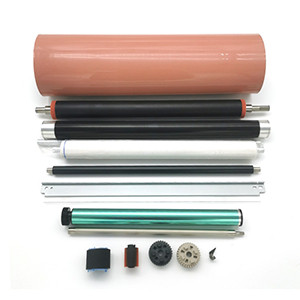
The three categories above are what you stock; the six groups below are what you diagnose with, and they are the same six a sheet of paper passes through. Paper feed — pickup rollers and separation pads. Charging — the primary charge roller that lays an even charge on the drum; resistance drift reads as vertical streaks or a faint ghost. Developing — the developer (magnetic) roller plus the doctor blade that meters toner onto it. Transfer — the belt, or the second transfer roll on monochrome bodies. Fusing — the film sleeve and the pressure roller underneath it; toner that rubs off under a thumb means the film is tired, and the roller should be checked in the same visit. Cleaning — the wiper blade and the waste-toner path that carries the scraped toner away.
Three facts belong beside every line
A row that says only "Epson fuser film" is not a line anyone can order against. Every entry should carry the full model suffix, the cross-reference number printed on the failed part, and a note on which neighbouring part fails with it — a wiper blade rarely travels without its doctor blade, and a feed kit is usually bought together with its separation pad. TMS matches on those three facts and ships against a locked number, so a reorder two years later returns as the same part rather than a fresh experiment. Where an Epson number no longer resolves, the part is reverse-matched from the worn sample or a drawing — which is how discontinued EPL and LP machines stay in service well past their official support date.
One catalogue, four material families
TMS has spent close to two decades building a full-lifecycle consumables library rather than a single-brand shelf, and it organised that library around materials instead of model years: polyurethane for blade edges, polyimide for films and belts, conductive rubber for charge and developer rollers, conductive foam for cleaning and supply rollers. That is why an Epson printer parts list extends on the same search into a feed kit for one office machine and a blade for a legacy desktop, and why parts from several brands leave as one combined shipment under standard export packing.
Hand TMS the Epson model and the number on the worn part — the Epson printer parts list fills itself in, category by category, line by line.


